
Turn your smartphone into a secure and efficient payment tool. By integrating your Clara card with Google Wallet, you can make contactless payments at physical stores and speed up online checkouts, keeping all corporate expenses centralized and traceable.
Key Benefits
Convenience: Leave your physical wallet behind.
Security: Google uses encrypted tokens, so your card details are never shared with merchants.
Control: All transactions appear instantly in your Clara dashboard for easy tracking.
Quick Setup Guide
Download: Get the Google Wallet app from the Play Store.
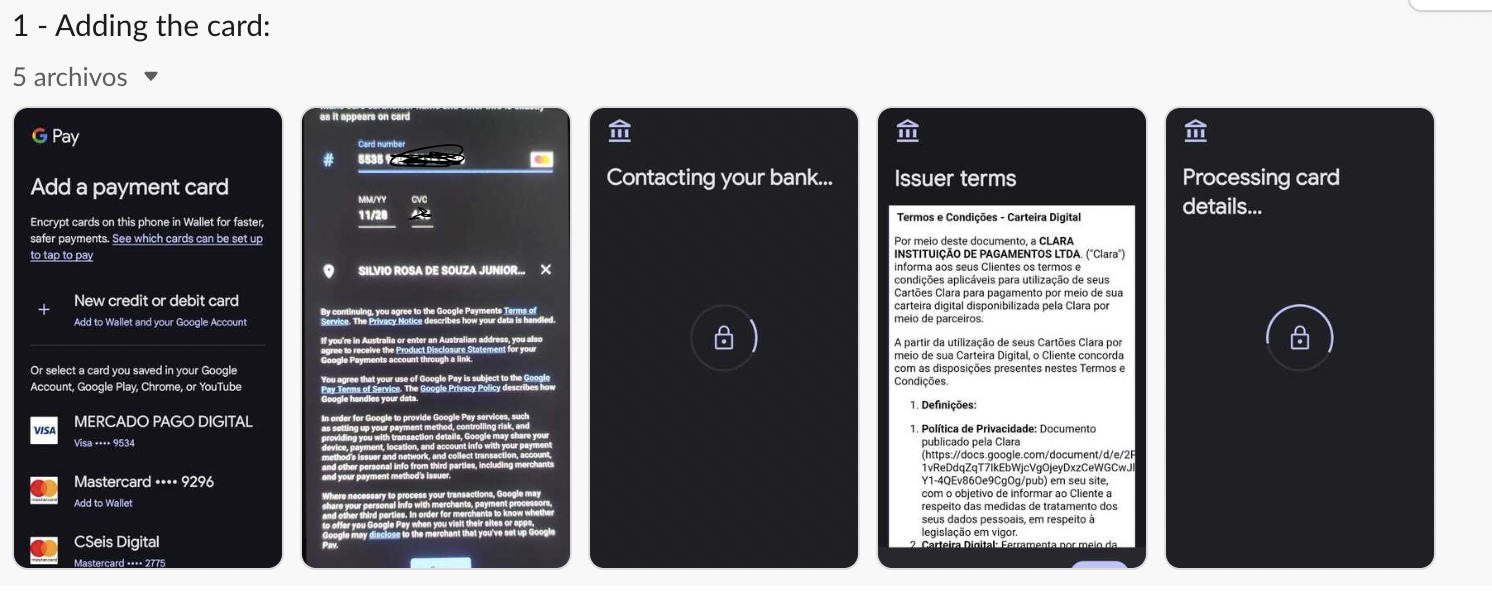
Add Card: Enter your Clara card details (Physical or Virtual).
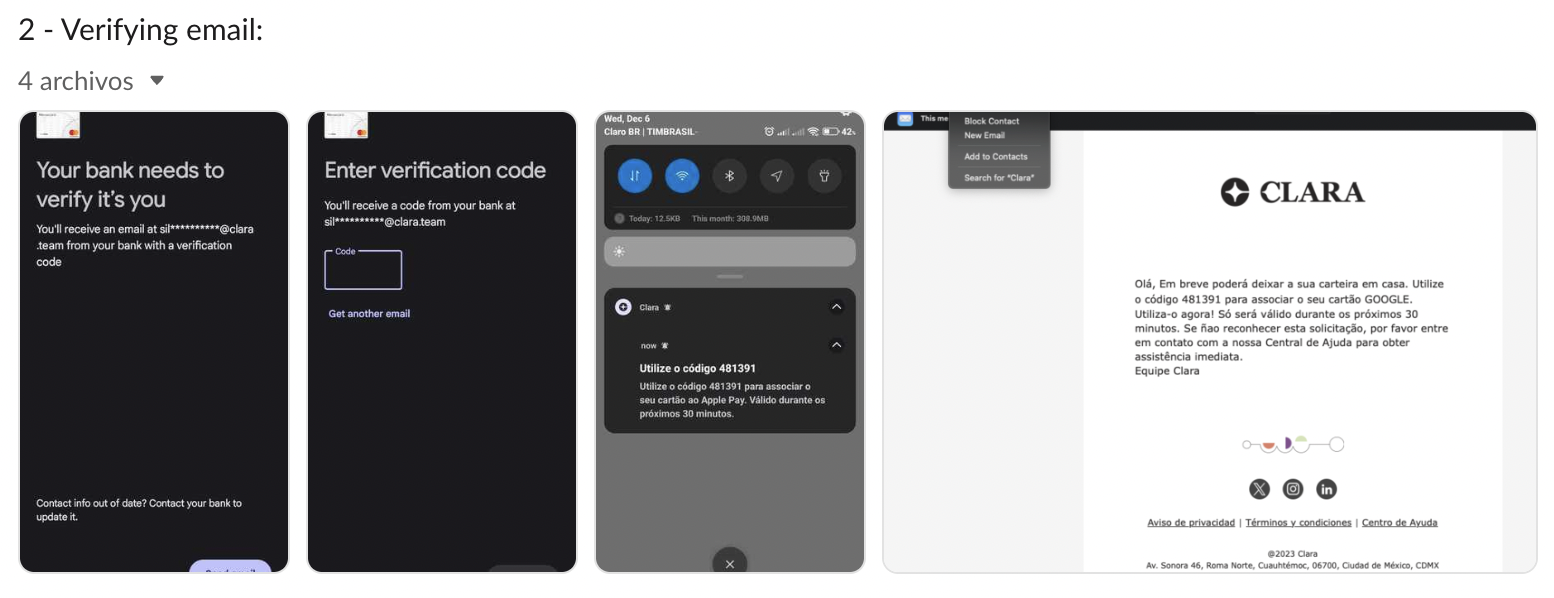
Verify: Enter the security code sent by Clara via SMS or email.
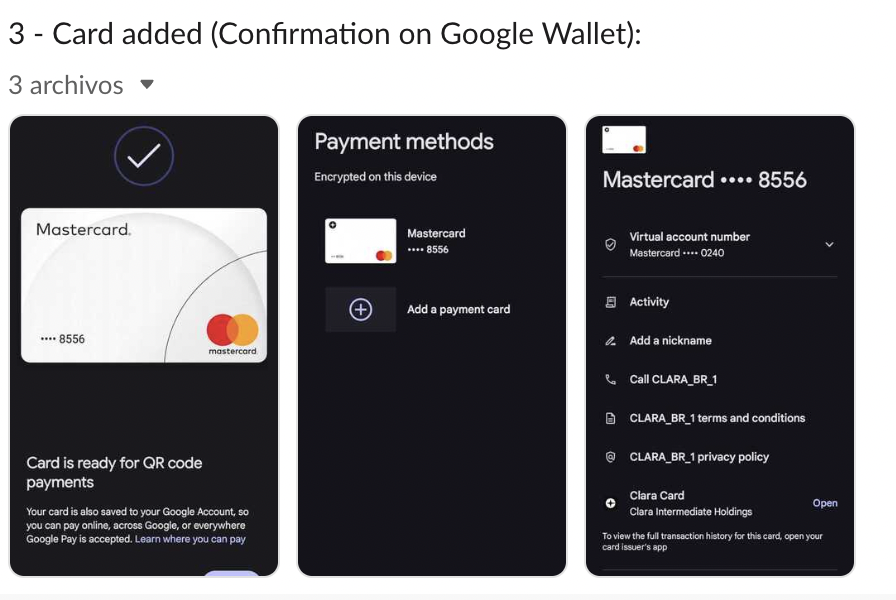
Pay: Tap your phone at any contactless terminal to complete your purchase.
Comments
Please sign in to leave a comment.