
If you forget your PIN, don’t worry — you can check it anytime directly from your Clara app. 🙌
How to view your PIN
Apply rounded style.
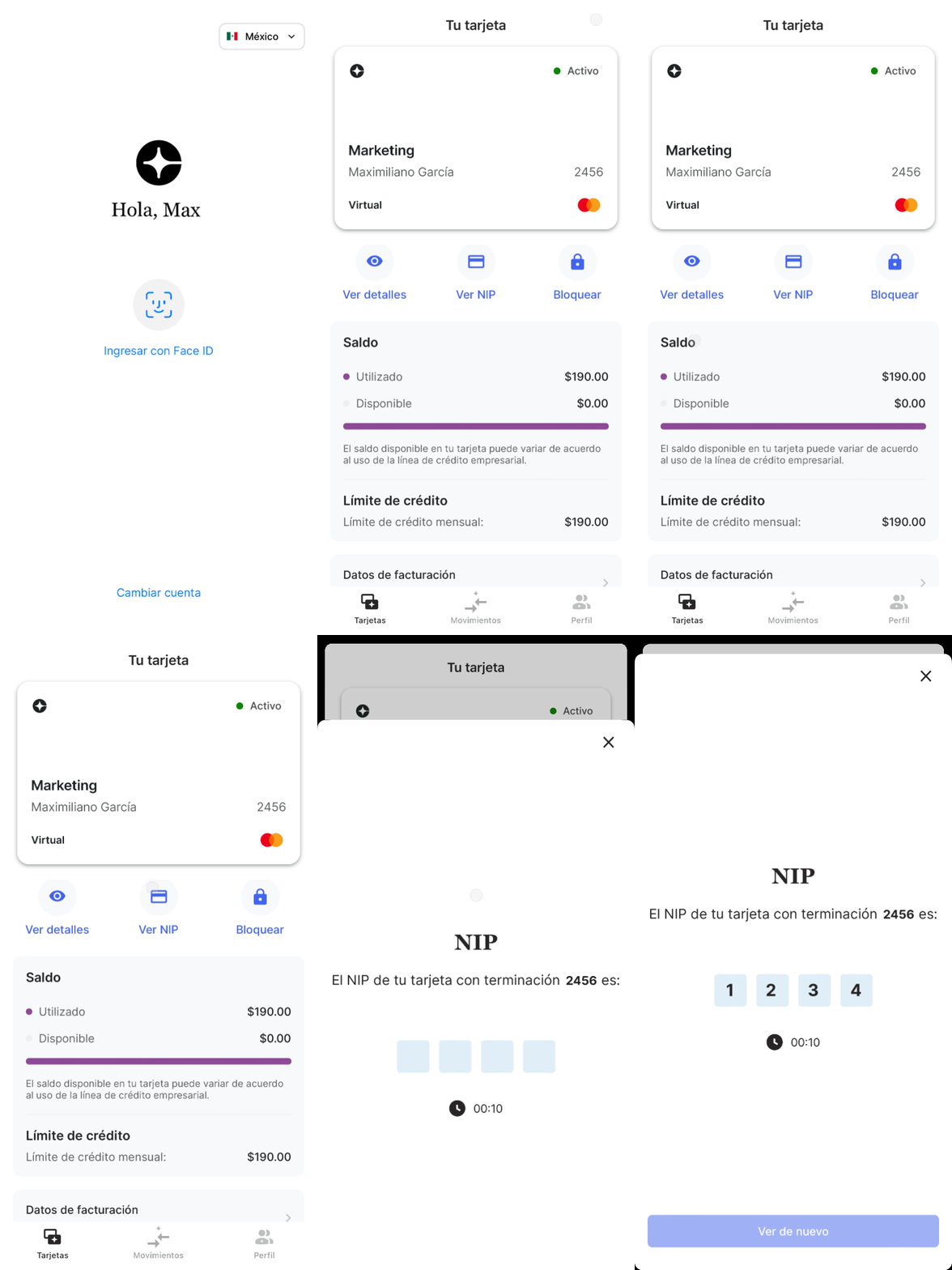
Open your Clara app.
Log in to your account.
Go to your physical card.
Tap View PIN.
Authenticate using Face ID, fingerprint or password.
Done! You can now see your PIN whenever you need it.
Important notes
Your PIN is stored directly on your device. Clara does have access to it, for your security.
If you change devices, you’ll need to authenticate again.
Never share your PIN with anyone.
Make sure your app is up to date so you can securely access your PIN anytime. 🔐
Comments
Please sign in to leave a comment.