
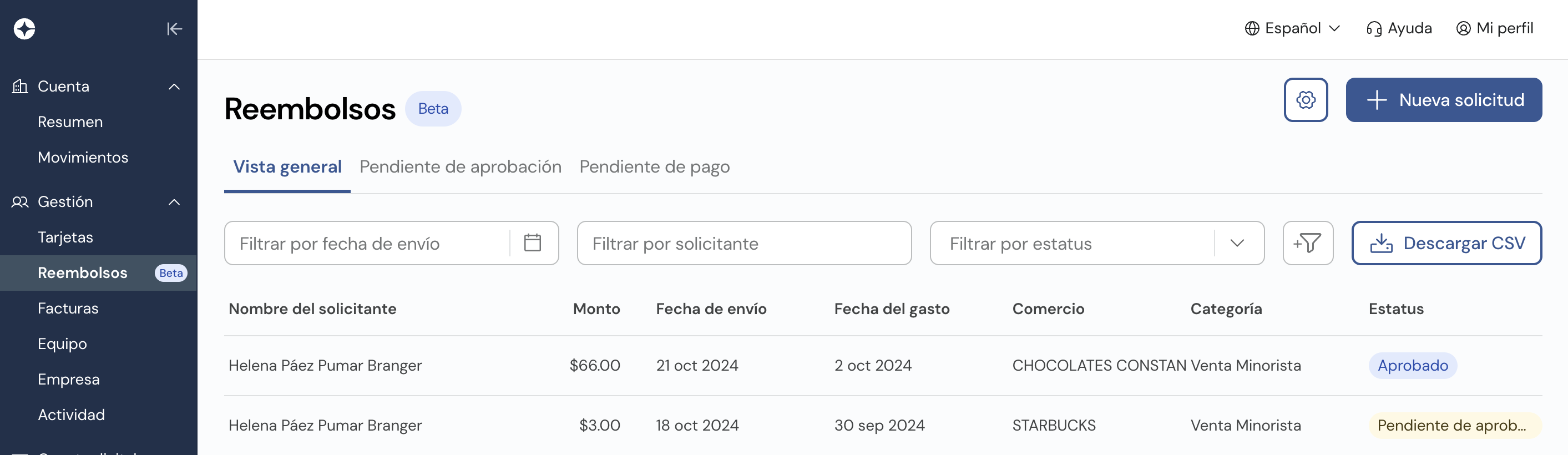
Visibility within the Clara Reimbursement module is dynamic. Depending on your role—whether you are an employee reporting expenses, a manager approving them, or an admin processing payments—your view will adapt to highlight your priority tasks.
Action Tabs
| Tab | Description |
|---|---|
| Pending Approval | Requests waiting for an authorized user to Approve or Reject. |
| Pending Payment | Approved requests ready for fund disbursement (Admins only). |
The "Overview" Tab
Approvers: See personal requests plus those they need to authorize.
Reimbursement Managers: See all company-wide requests.
Full Access Users: Combined view of all company data, personal files, and pending tasks.
Comments
Please sign in to leave a comment.