
As an approver, you ensure that company funds are used according to policy. You will receive automatic notifications whenever a request is pending your review.
How to Manage Requests
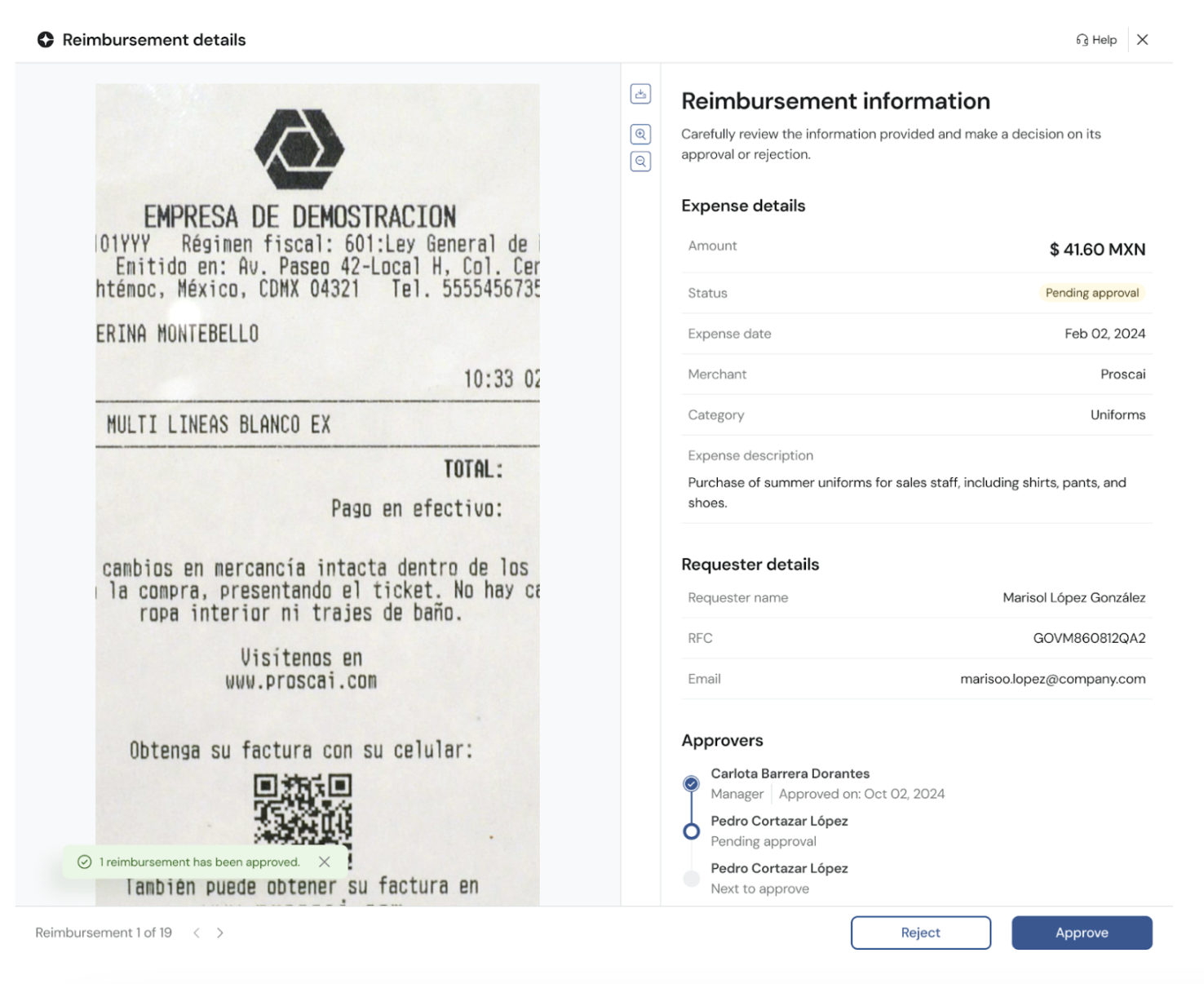
Review: Open the reimbursement details to verify the receipt, amount, merchant, and business purpose.
Approve or Reject: * Approve: Moves the request to the next approval stage or to "Pending Payment."
Reject: You must provide a reason for rejection to inform the employee.
Bulk Actions: Save time by selecting multiple requests from the dashboard and processing them all at once.
Status Update
After your action, the status will update immediately, keeping the requester informed and the financial flow moving.
Comments
Please sign in to leave a comment.